Quick QR
Download a high-resolution QR code directly from the Pages or Posts list without opening another screen.
Generate and download QR codes directly from your WordPress Pages and Posts. No copying URLs. No external services. No unnecessary steps.
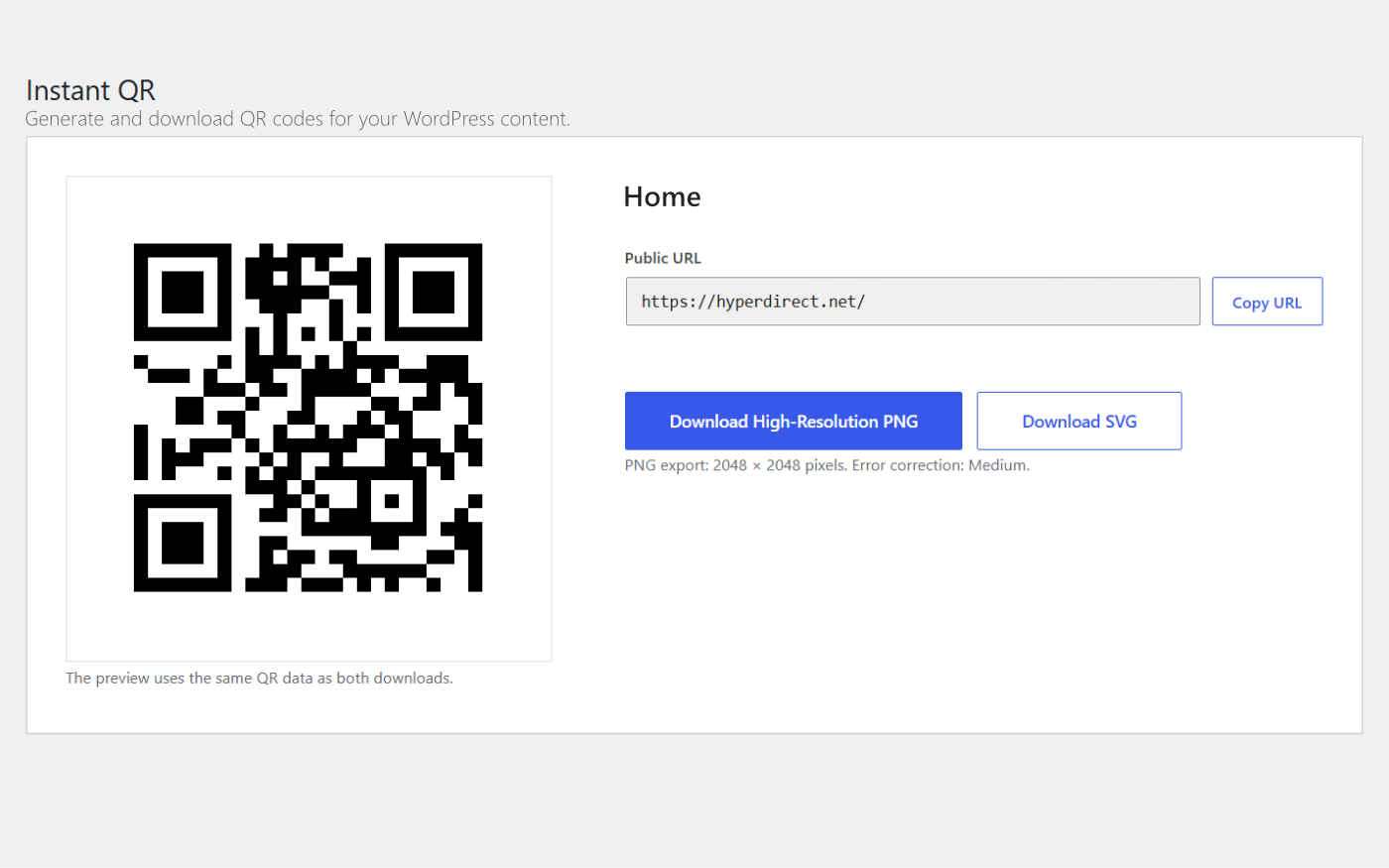
Most QR code tools begin after you have already opened a page, copied its URL, and moved into another application. Instant QR places the action where the content already exists.
Find the Page or Post you already manage.
Open the full generator or download a Quick QR.
Place it into a website, email, sign, or print layout.
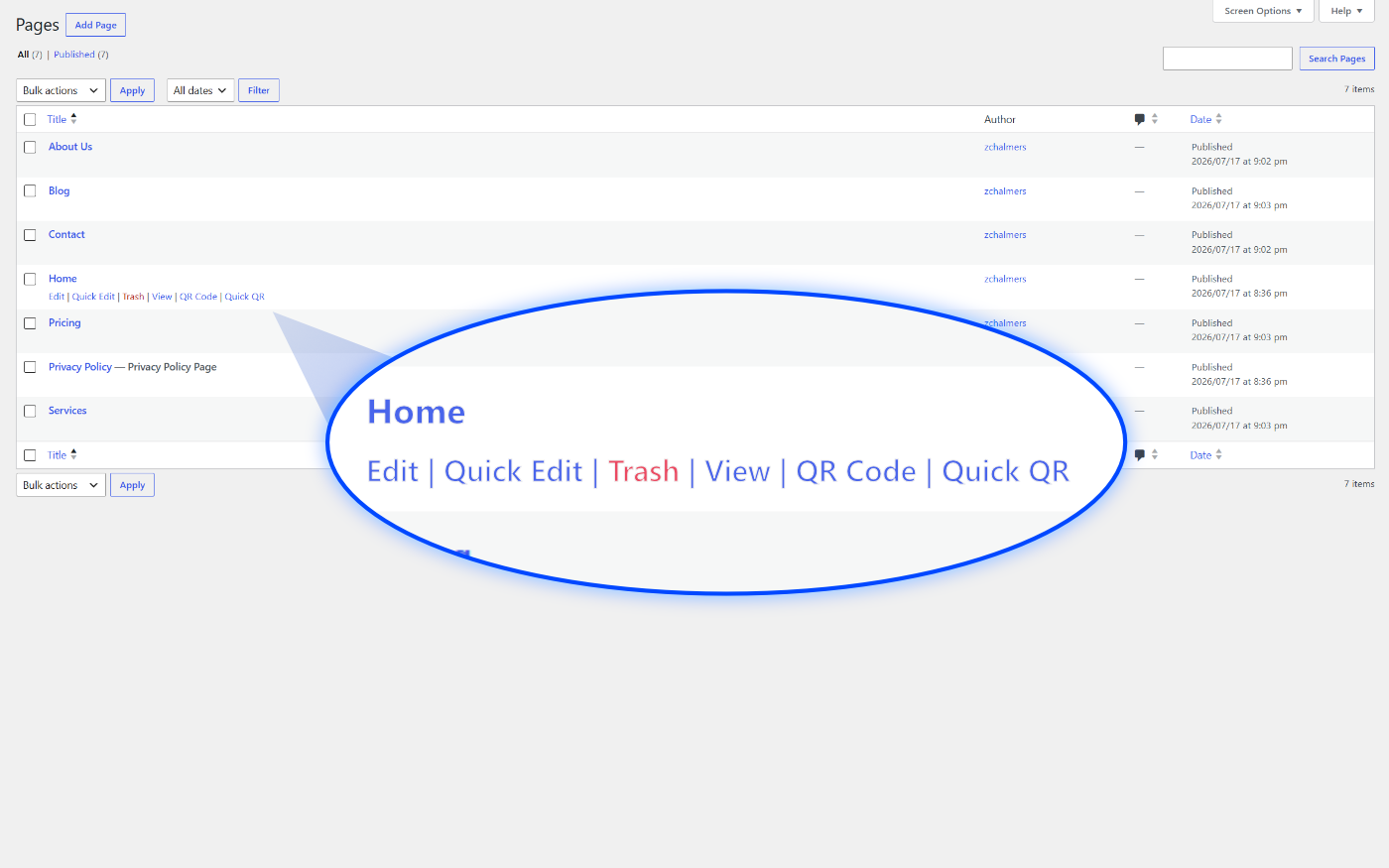
Instant QR stays focused on the tasks WordPress users perform repeatedly.
No scan tracking. No external dashboard. No account to maintain.
Download a high-resolution QR code directly from the Pages or Posts list without opening another screen.
Preview the QR code, copy the destination URL, and download either a PNG or SVG file.
Create sharp PNG files suitable for websites, email campaigns, signage, postcards, and other printed materials.
Download a scalable vector QR code that remains sharp when resized for larger print applications.
Add a QR code inside WordPress content using the included [instantqr] shortcode.
QR codes are generated inside WordPress without sending URLs to a cloud API or third-party generator.
Copy the current Page or Post URL directly from the full generator when you need it elsewhere.
Instant QR focuses on the workflow it is meant to improve without adding dashboards, tracking scripts, or unnecessary settings.
Use the published WordPress URL automatically or enter a different destination when needed.
Use the same QR code workflow with published WordPress Pages and Posts.
Use the full generator when you need control. Use Quick QR when you simply need the file.
Find the published WordPress content you want to share.
Instant QR appears beside the familiar WordPress row actions.
Choose Quick QR when you only need the finished download.
Your high-resolution QR code downloads immediately.
Copy URL → open generator → paste URL → generate → download
Hover → Quick QR → done
Instant QR uses familiar WordPress screens and keeps the available actions easy to understand.
QR Code and Quick QR appear beneath published Pages and Posts alongside the standard WordPress actions.
Preview the QR code, copy the destination URL, and download PNG or SVG without leaving WordPress.

Download a clean, high-resolution file for websites, signs, handouts, mail pieces, and other materials.
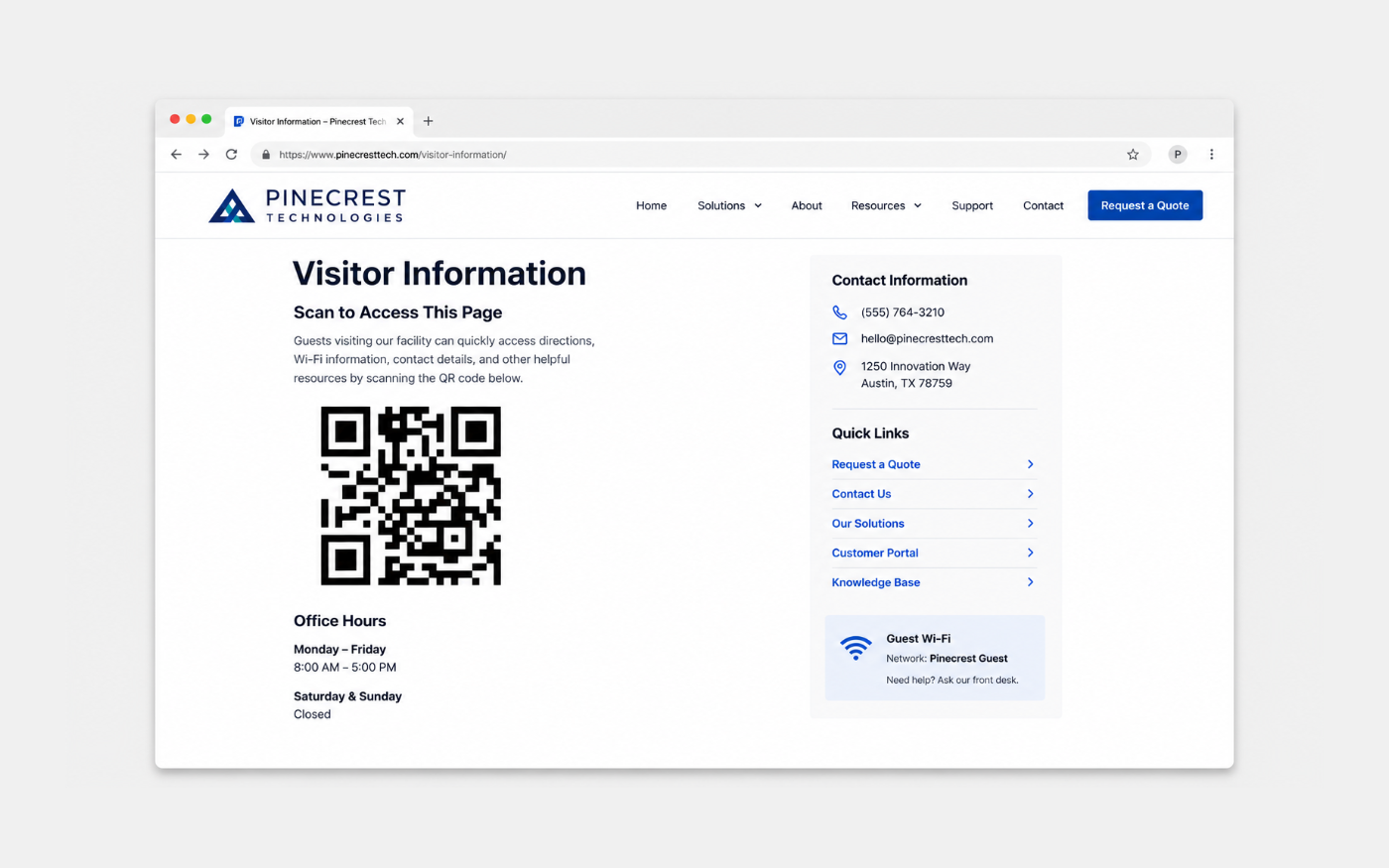
Use the included shortcode when a QR code needs to appear directly inside a Page or Post.
Instant QR is not intended to replace an advanced QR design platform. It is built to make routine WordPress QR code generation faster.
Features vary between WordPress plugins. This comparison describes common workflow differences rather than every available product.
Practical details about how the plugin works and what it includes.
No. QR codes are generated locally inside your WordPress installation. Instant QR does not send your Page or Post URLs to an external QR code service.
No. There is no separate account, cloud dashboard, or third-party QR code platform required.
Yes. The full QR Code generator includes an SVG download option for scalable print and design use.
Yes. Instant QR can generate high-resolution PNG files for both digital and print applications.
Yes. Instant QR adds its QR Code and Quick QR actions to published WordPress Posts.
Yes. Published Pages are supported, and Instant QR automatically uses the Page URL as the QR code destination.
Yes. Instant QR works from the published WordPress URL, so the page can be built with the block editor or a compatible page builder.
Yes. The full generator allows you to replace the Page or Post URL with a custom destination.
Instant QR is designed as a small, focused plugin. It does not load an external dashboard, analytics platform, or tracking script.
The shortcode output is designed to fit within normal WordPress content areas and can inherit responsive behavior from the active theme.
Instant QR requires PHP 8 or newer and is intended for modern, actively maintained WordPress installations.
No. Instant QR does not include scan tracking, visitor tracking, or an external analytics service.
Instant QR Pro is planned and will be released in the future. Pro features have not yet been announced.
Generate QR codes directly from the WordPress content you already manage.
Download Instant QRA Pro version is planned and coming soon.